 MiCaja
For rural community banks in Honduras and Central America
The bank's books, on a tablet that works with or without signal.
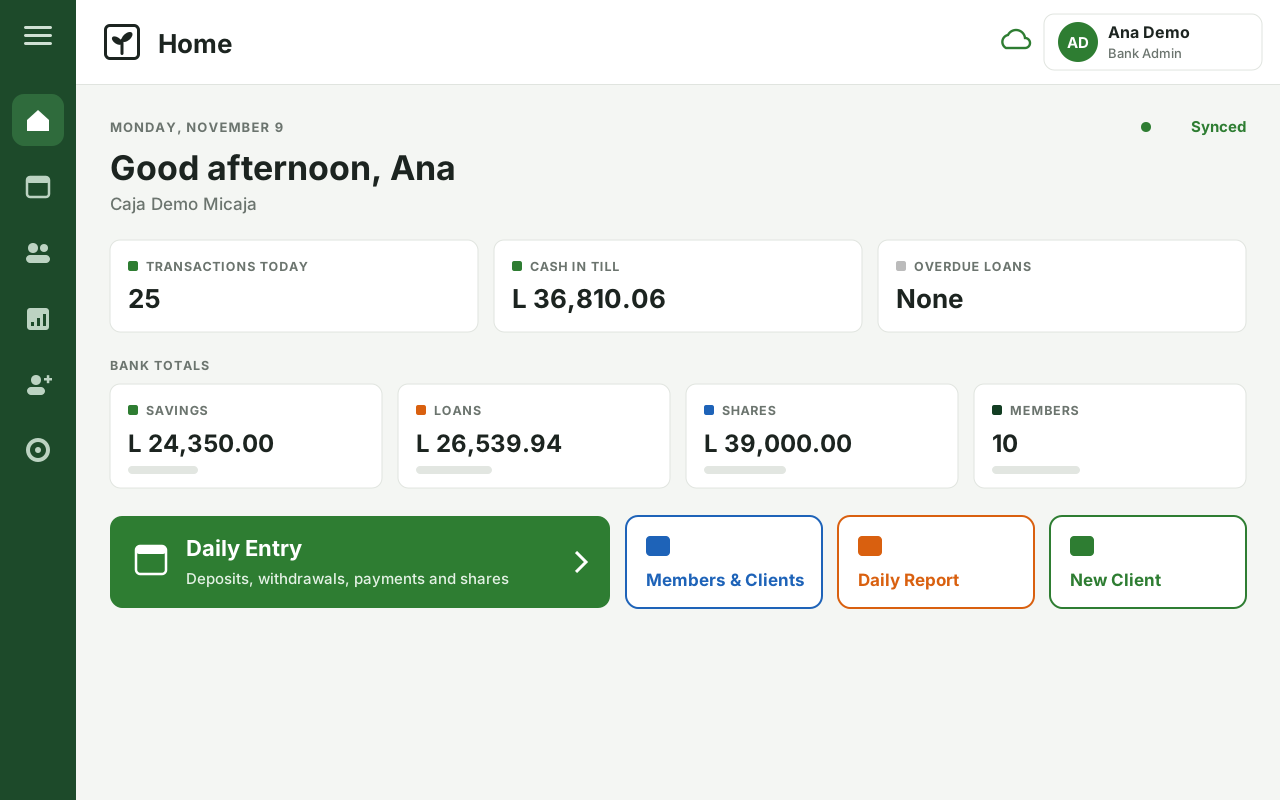
MiCaja records members, savings, shares and loans on each community bank's tablet, with the member's signature on every transaction. The bank works offline, and the tablet syncs as soon as there's signal.
- Works offline
- Syncs when connected
- Spanish and English
Who it's for
A tool for the people who run the bank, and the people who support it.
Community banks
- Record members, savings, shares and loans on the tablet, during the meeting.
- Every transaction is reviewed, signed by the member and gets a receipt.
- Reports ready for the board and the assembly.
Support organisations and funders
- Follow all their banks from one place.
- Channel credit through evaluated banks.
- Follow every funded loan from the bank to the member.
In the field
A rural savings bank goes digital.
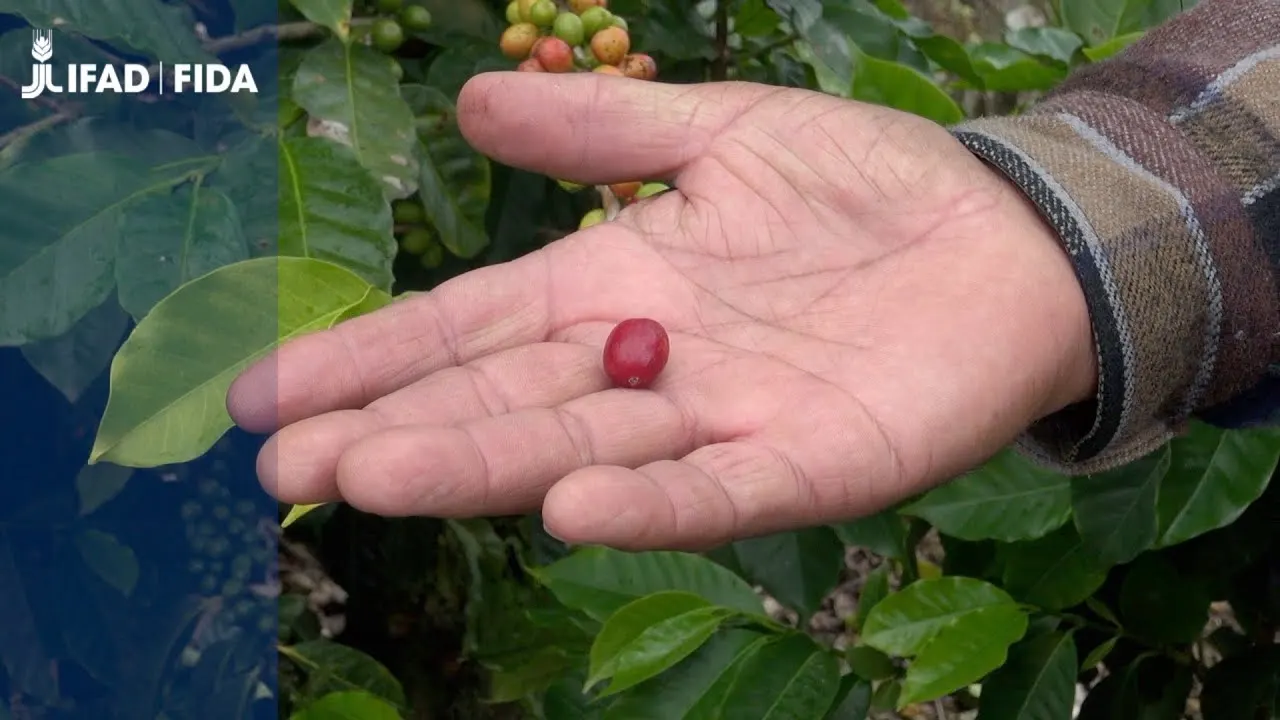
Don Lolo has grown coffee in Honduras for more than fifty years and is a member of a rural savings bank. With support from IFAD's Rural Poor Stimulus Facility, his bank started using MiCaja, with tablets and training for its members. In all, 66 rural savings banks took part in the programme.
The video is from 2022 and shows the first version of the app.
How it works
The bank works on its tablet, with or without signal.
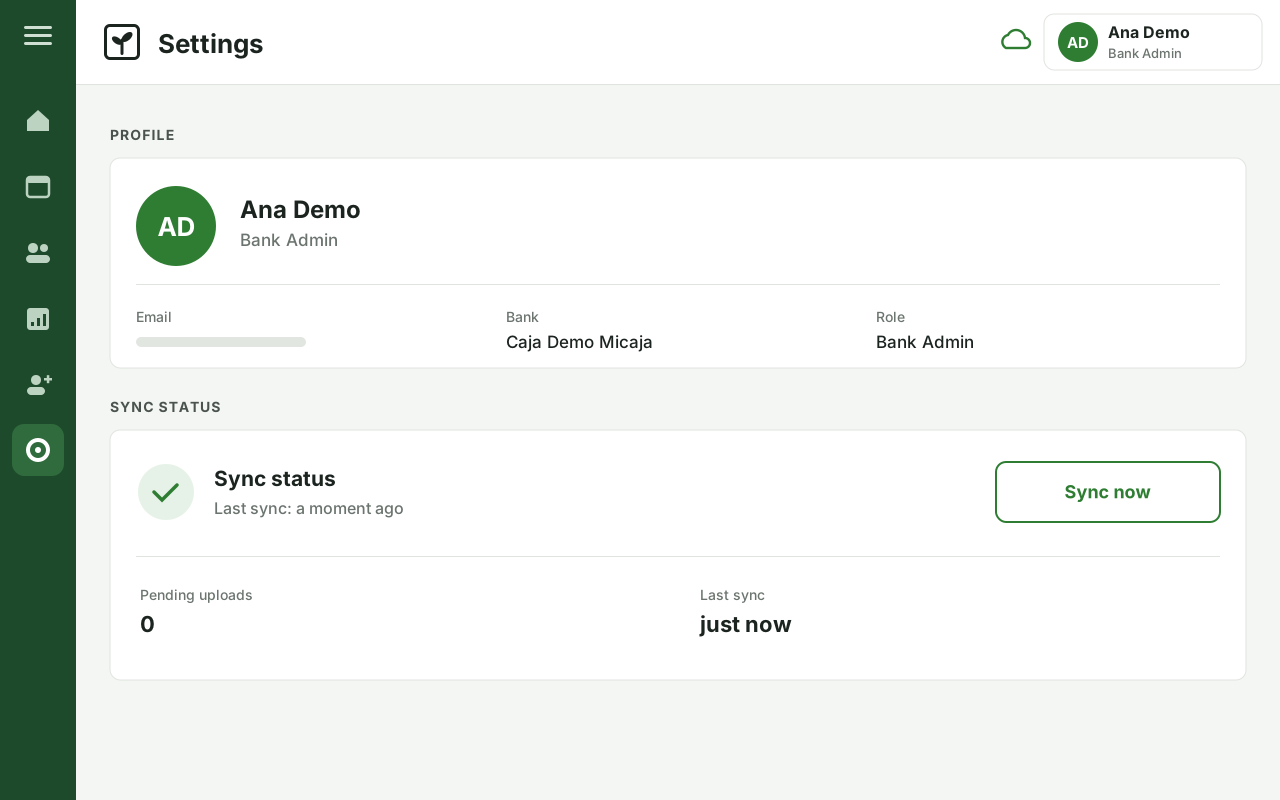
The app keeps the bank's books on the tablet itself, so the meeting doesn't stop when the signal drops. When there's a connection, the tablet syncs with MiCaja Centro, the system used by the organisation that supports the bank.
At the bank
MiCaja app
The bank records its members and their signed transactions, and prints its reports.
At the support organisation
MiCaja Centro
Oversight of every bank, its books and its credit.
Outside the bank
Funders
Institutions that lend through the banks and receive reports on their capital.
Syncing built for the field
- Without a connection, the bank keeps working: every transaction is saved on the tablet.
- When it connects, the tablet sends what's pending and receives what's new.
- A robust sync protocol keeps everything in order, even when the signal is weak or drops.
- Sync regularly, ideally once a day. Anything already synced is safe even if a tablet breaks or goes missing.
The tablet app
One transaction, start to finish.
Deposits, withdrawals, shares, loans and payments all follow the same steps. Learn it once and it works for everything.
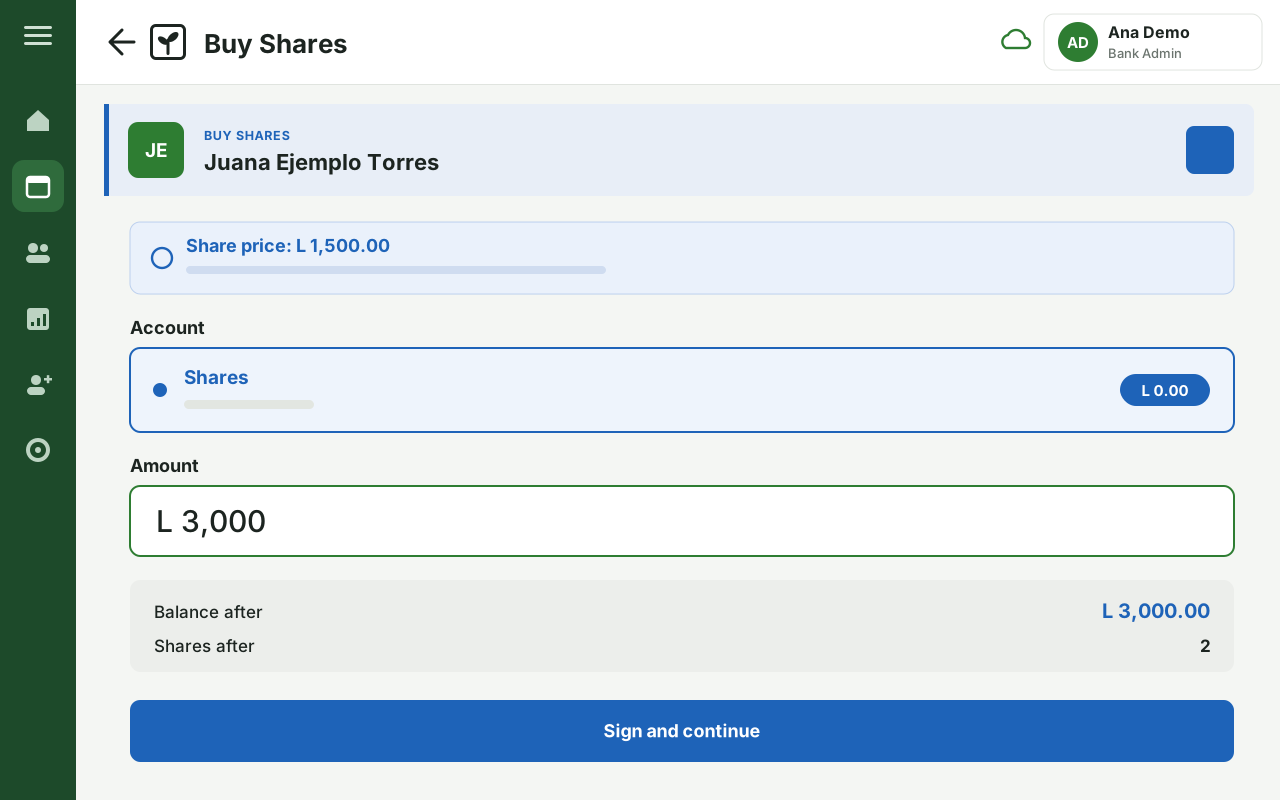
Fill in
Choose the member and enter the amount.
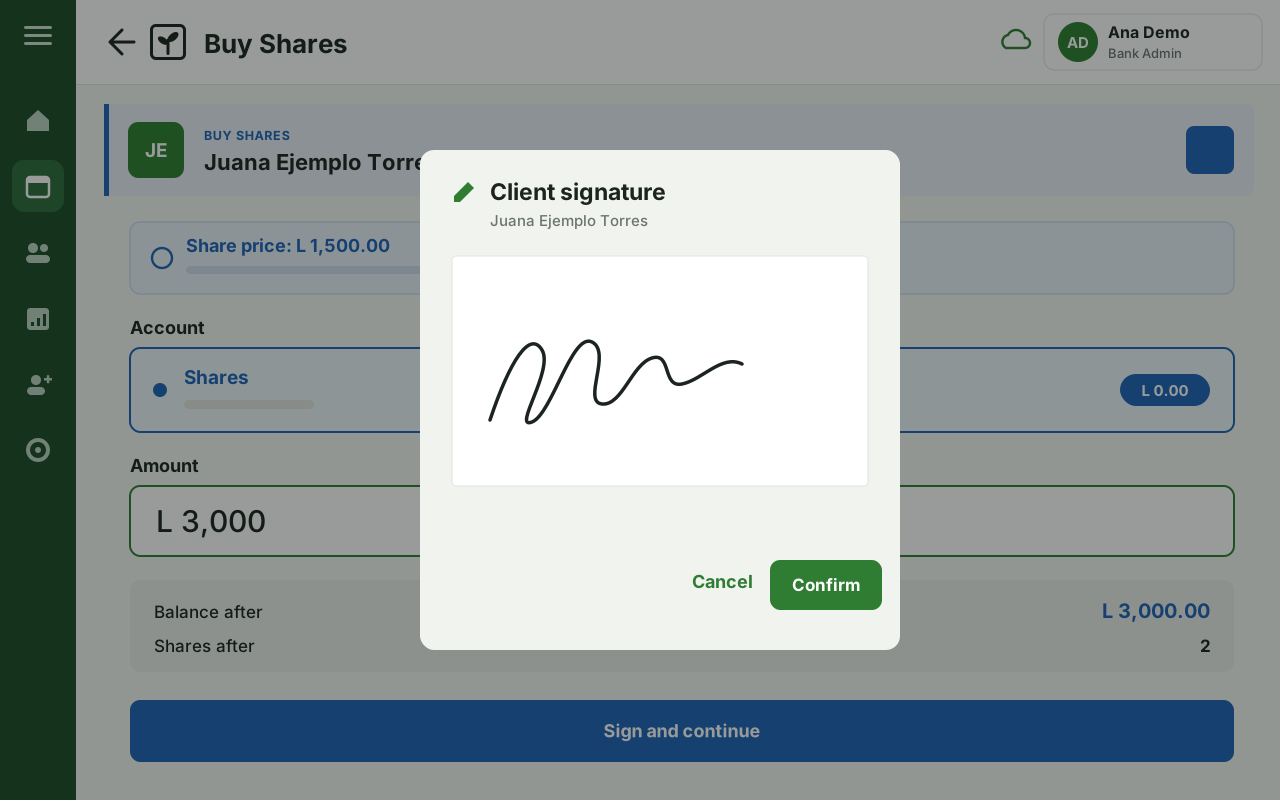
Sign
The member signs on the screen.
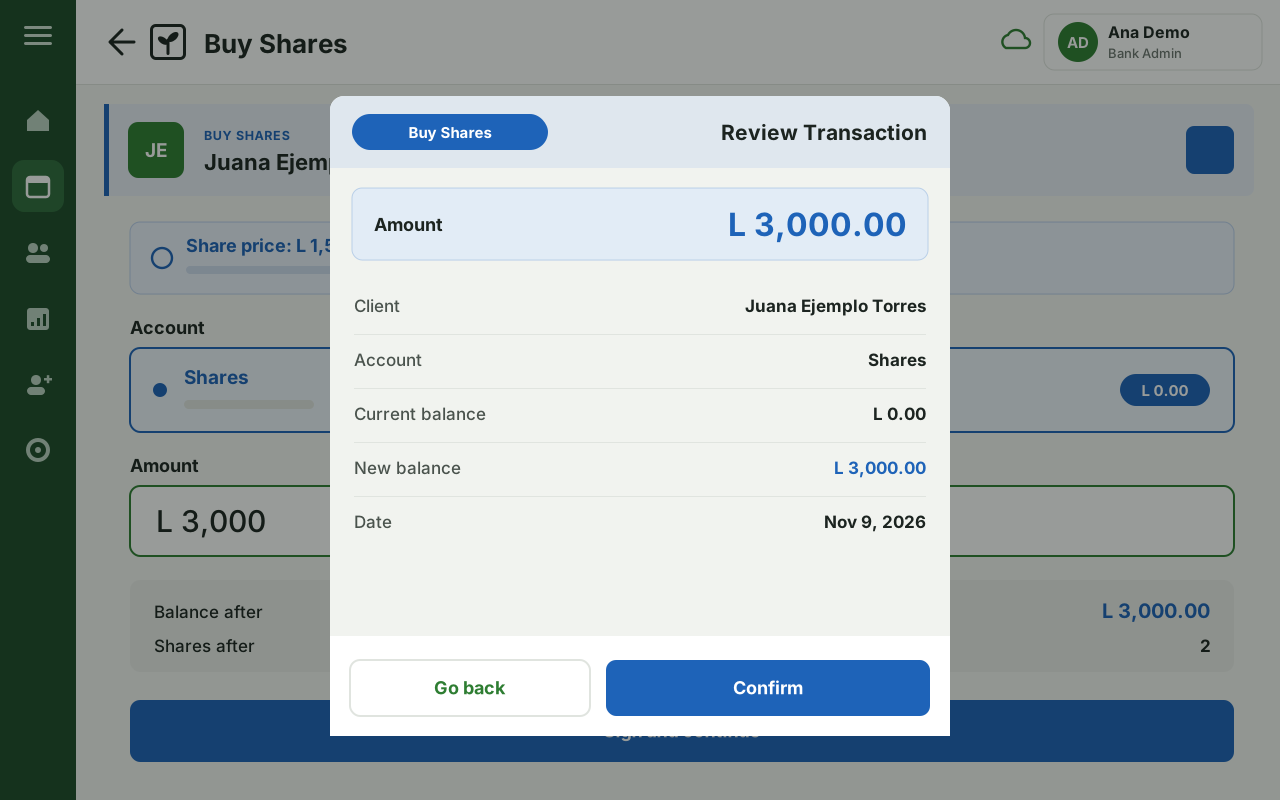
Review
Both see the result before confirming.
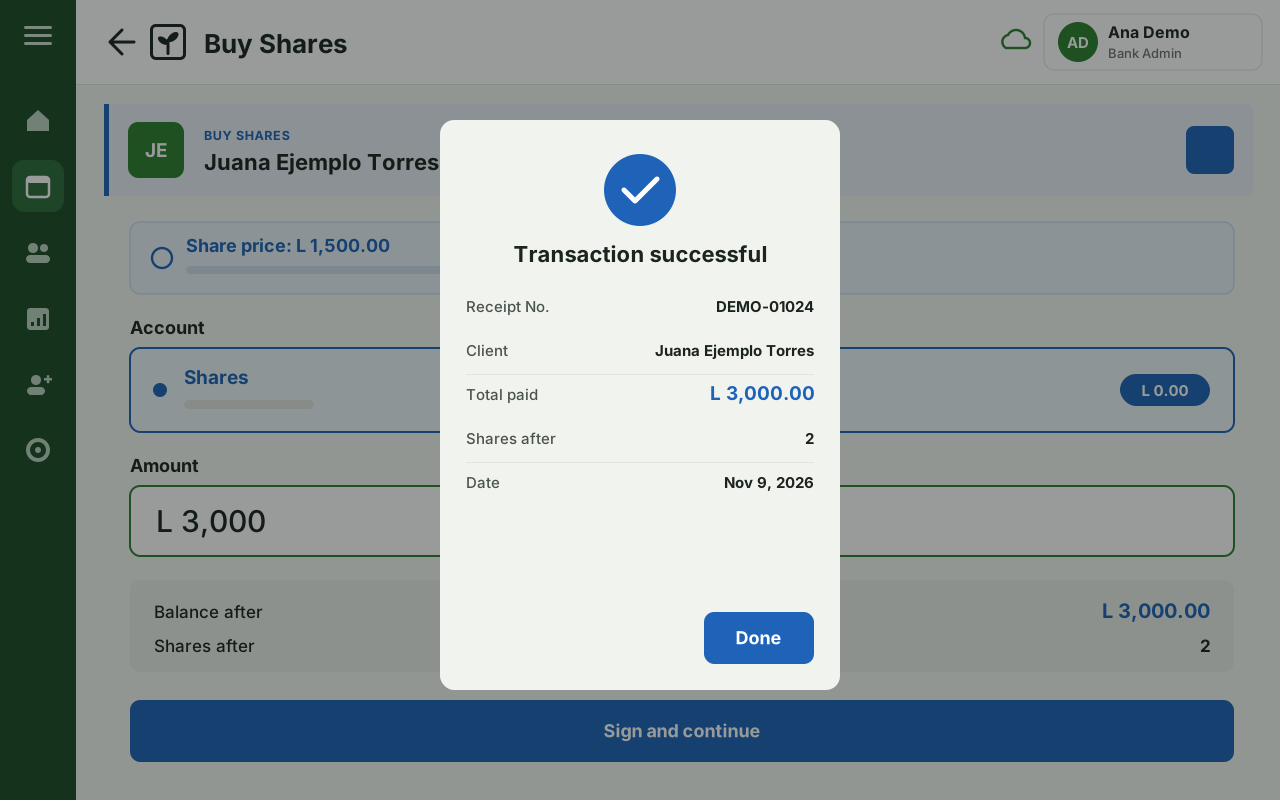
Receipt
Every transaction gets its receipt.
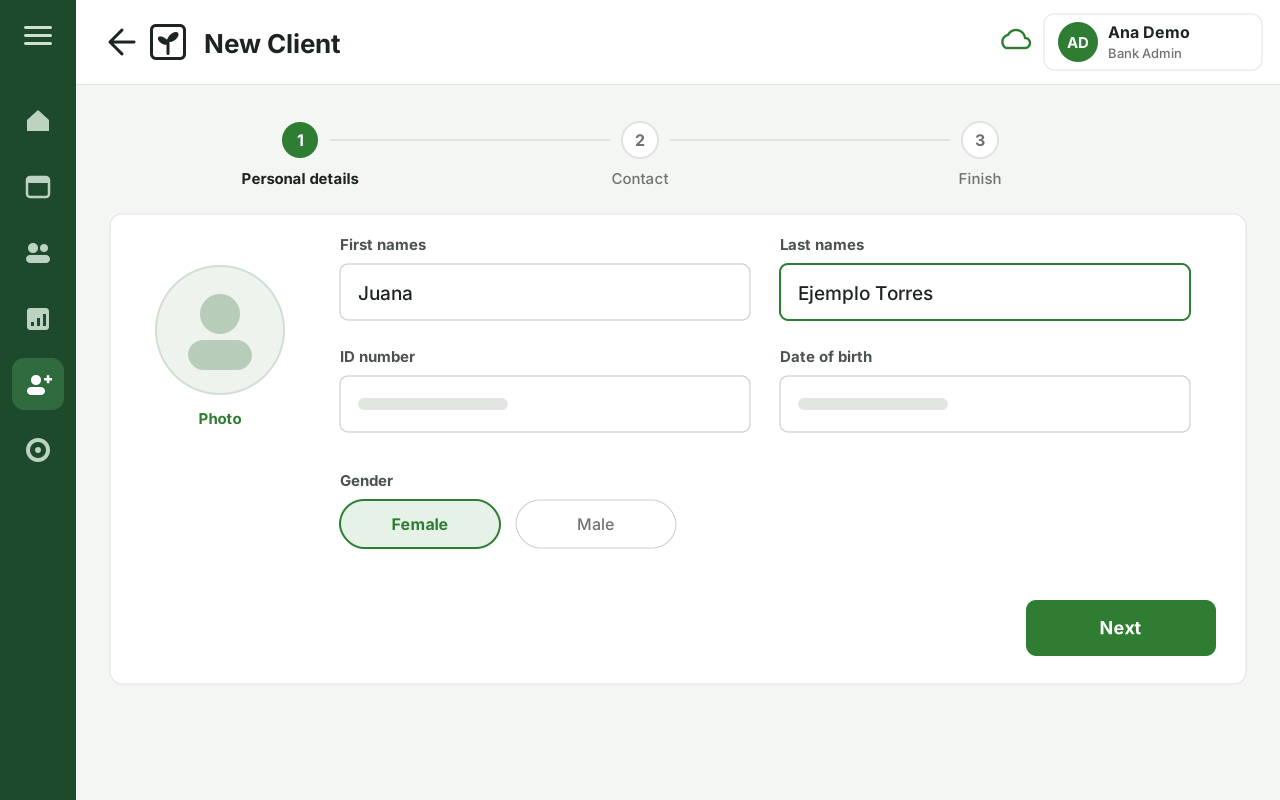
Members and clients
Registering a person takes three short steps, with their photo. When they open a shares account, the client becomes a member of the bank.
Every member has a statement with all their transactions, ready to hand over.
The whole day, on one screen
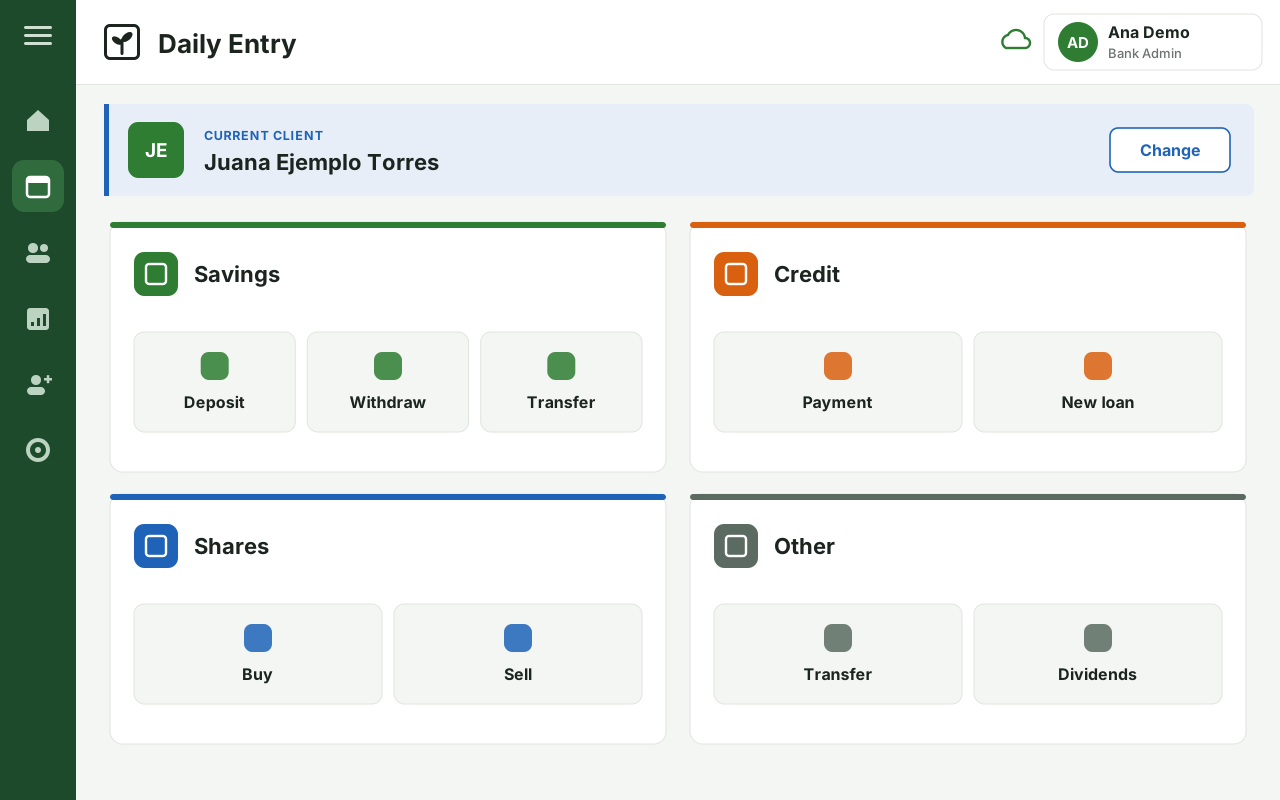
In Daily Entry you choose the member and, from there, record savings, shares, loans and payments.
- Each user signs in with their name and their own PIN.
- Administrators and officers have different permissions.
- The app is in Spanish and English.
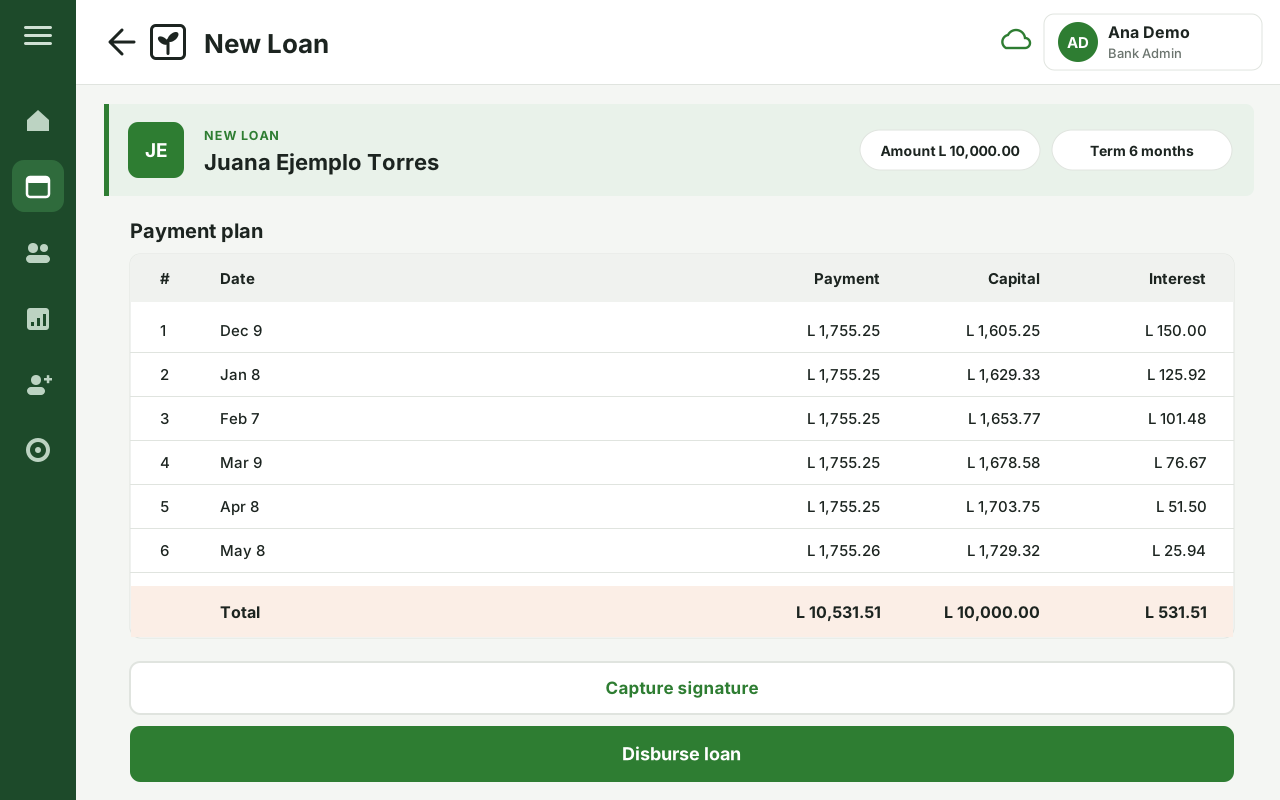
Loans with a payment plan
Before the money is disbursed, the member and the bank see the full payment plan, instalment by instalment. Payments are recorded against that plan.
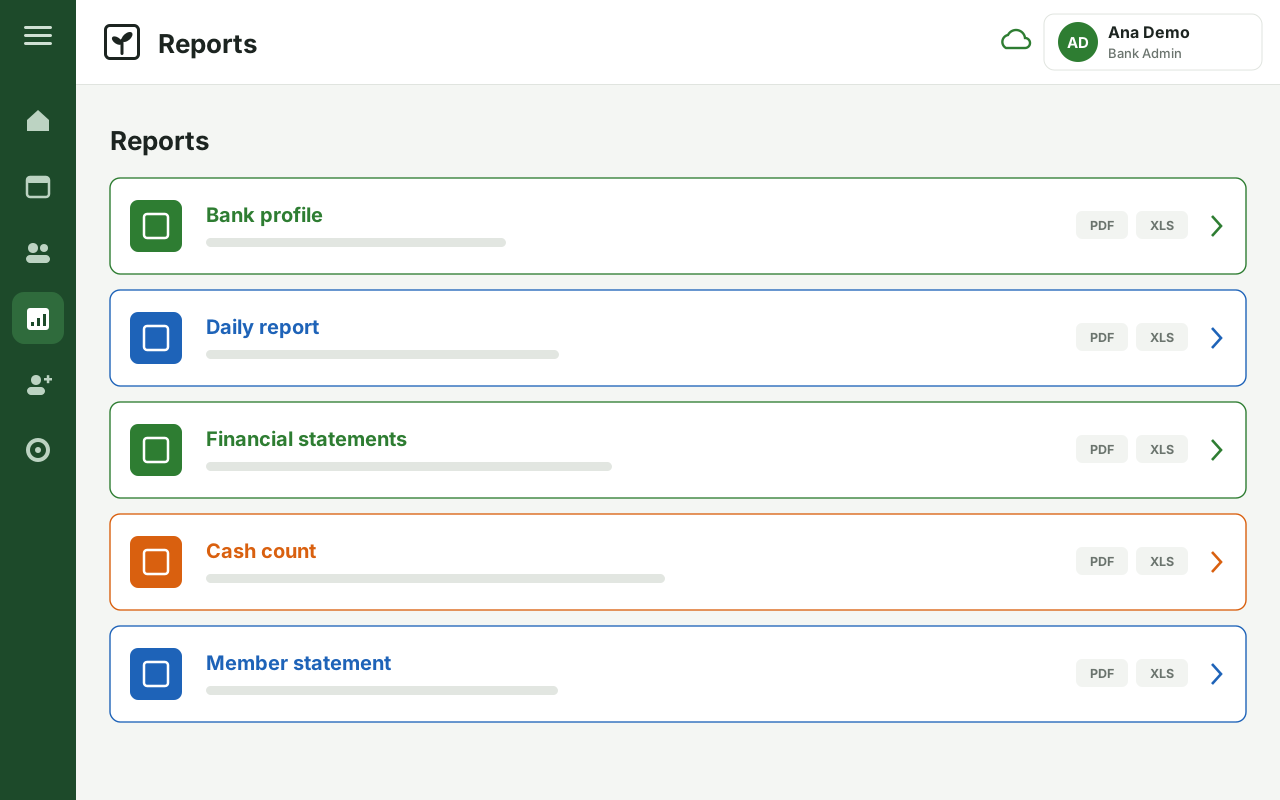
Reports for the board and the assembly
The bank's reports come straight from the tablet and export to PDF or Excel, ready to print or share.
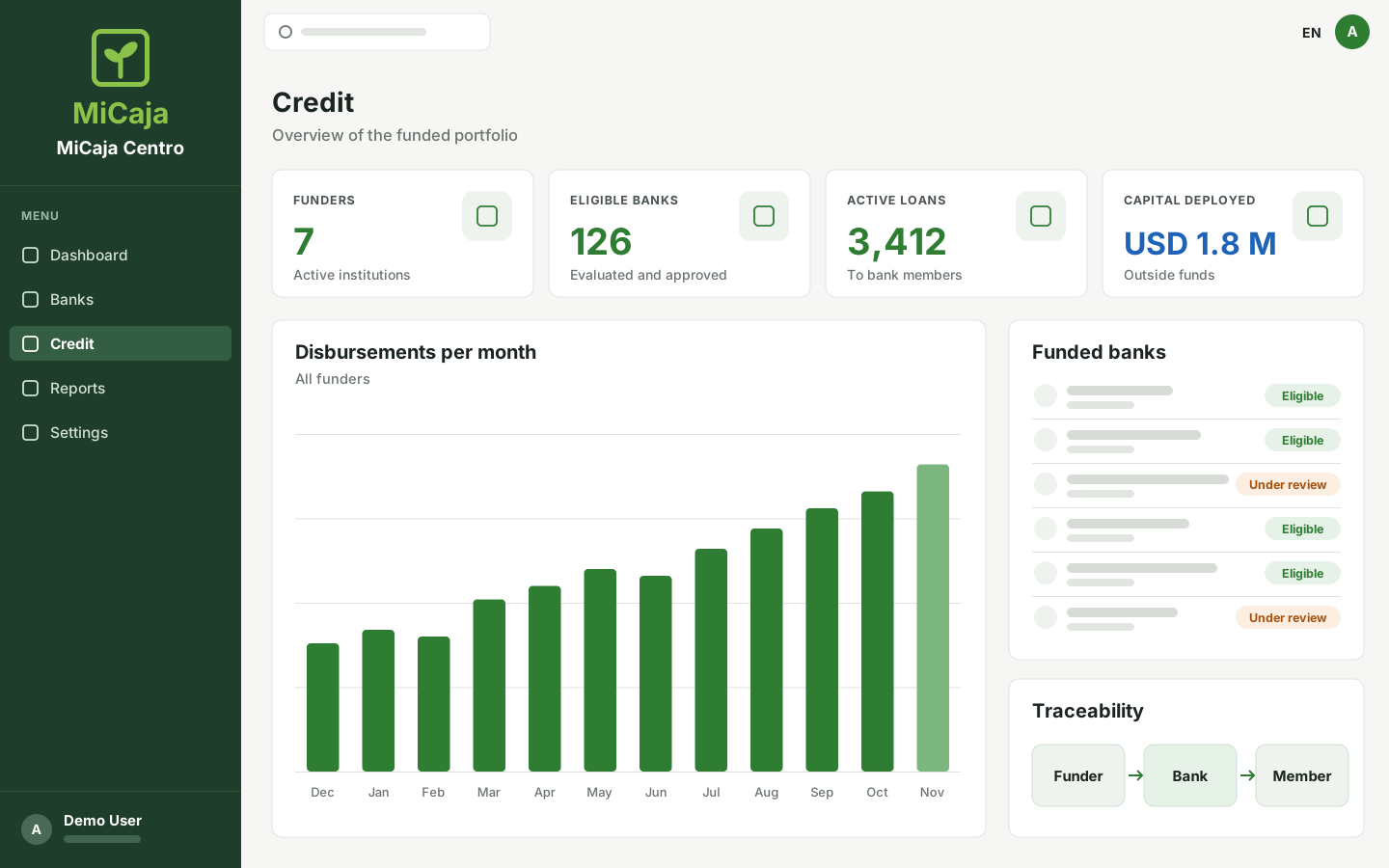
Credit module · For funders
Outside capital that reaches the member, with a record of every step.
A community bank can only lend what its members save. MiCaja's credit module lets outside funders lend through evaluated banks, down to each member, with full traceability.
- 01
A funder commits capital
On its own terms and in its own areas.
- 02
The bank is evaluated
Only approved banks receive funds.
- 03
A member applies for a loan
The application is assessed with information from the bank and the member.
- 04
Disbursed and followed
Every loan stays linked to its funder.
What the funder sees
- Where its capital is, bank by bank.
- The state of the funded portfolio.
- Regular reports, prepared by MiCaja.
Want to know the methodology? Get in touch.
Who's behind it
Made for community banks.
MiCaja is built by Skep Labs for the rural community banks of Honduras and Central America, and the organisations that support them.
- App
- Android, for tablets.
- Languages
- Spanish and English.
- Help
- Guide and training for bank staff.
Contact
Want to bring a bank on board, or fund through MiCaja?
Tell us who you are and what you need: a community bank, an organisation that supports banks, or a funder. We're happy to show you MiCaja.
Already using MiCaja?
The help guide is for staff of the banks and organisations that use MiCaja.